
People looking for a Microsoft To Do alternative usually want one of three things it does not offer: a record of how long their tasks actually take, tasks that the provider cannot read, or simply a task list that does not live inside a Microsoft account. This page compares the two apps on exactly those points — and is honest about how much To Do gives you for free.
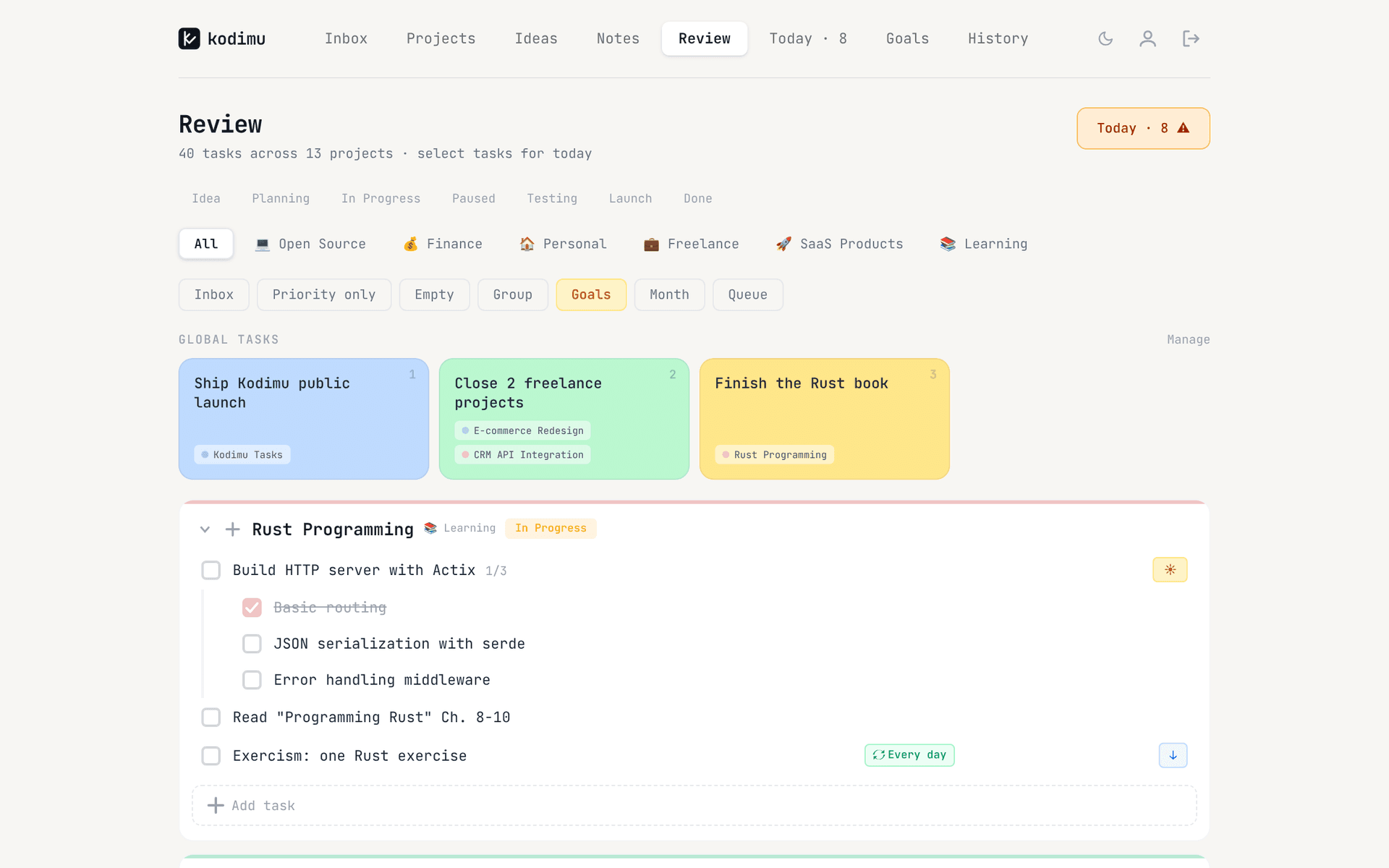
Kodimu is a private, end-to-end encrypted task manager with real time tracking. It runs in the browser, shows every task from every project on one Review screen, and counts the real time you spend on each task. Microsoft To Do is a free list app from Microsoft that stores your tasks in an Exchange Online mailbox. They solve different problems, so the table below sticks to the handful of factors that usually decide a switch.
Kodimu vs Microsoft To Do at a glance
| What matters | Microsoft To Do | Kodimu |
|---|---|---|
| See all tasks on one screen | Separate lists; My Day gathers what you pick for today | Review: every task from every project, filtered by stage and category |
| Real elapsed time per task | No built-in timer | Count-up timer per task, with an optional Pomodoro mode |
| Pauses with reasons | No timer, so no pauses | Pause with an optional comment; pause time counted separately |
| Time history | No time data | History by day and month: time per task, sessions, pauses |
| Who holds the encryption key | Microsoft — encrypted at rest on Exchange servers, not end-to-end | You — derived in the browser from your encryption password |
| Where data is processed | Your Exchange Online mailbox; European data stays in the EU region by default | Vercel, United States; task content arrives already encrypted, metadata such as dates does not |
| Platforms | Windows, Mac, iPhone, Android and web | Web app (installable); no native apps, no offline mode |
| Price | Free with a Microsoft account | Free during beta; pricing may change |
Two rows deserve a caveat. On data location, To Do has the better answer for European users: Microsoft says EU data stays in the EU region by default, while Kodimu’s servers are in the United States. Kodimu’s answer is different in kind — the server only ever receives ciphertext for what you write — but it is not a data-residency promise. And on platforms, To Do is simply ahead: native apps everywhere versus a web app.
What Kodimu adds: time and keys
To Do is a list. You add tasks, put some of them in My Day, and tick them off. It does not record when you started a task or how long it took. If you want that, you add a separate time tracker and keep the two in sync by hand.
In Kodimu the timer is part of the task. You open Focus mode, pick a task, and a count-up stopwatch starts (there is also an optional Pomodoro mode if you prefer work/break cycles). If you get interrupted, you press Pause and can type why — “client call”, “waiting for review”. Pause time is counted separately from focus time, and you can run several tasks in parallel, each with its own timer. The Today page then shows tasks done, total focus time and number of sessions, and History keeps a day-by-day log plus a Monthly tab with time per project and your busiest day.
Encryption is not optional in Kodimu. Before you can use the app, you set an encryption password that is separate from your login password. Your browser turns it into a key (PBKDF2-SHA-256, 600,000 iterations) that unlocks a random AES-256-GCM key, and that key encrypts task text, project names, notes and pause comments before anything is uploaded. The full design, including what is not encrypted — your email, dates, priorities, timer timings — is on our security page. Kodimu has not been independently audited and its client is not open source. If you lose both the encryption password and the recovery key, your data cannot be recovered, by design.
And no Microsoft account is involved. You sign up with an email and password (Google and GitHub sign-in are optional). If the point is to keep your tasks away from big-tech accounts altogether, use the email option.
Where Microsoft To Do still shines
- It is free and mature. No beta label, no pricing that may change, and a company behind it that is not going anywhere. Kodimu is a beta built by one developer.
- Outlook integration. With a Microsoft-hosted mailbox, flagged emails show up as tasks in a Flagged email list, where you can add due dates and reminders or move them to My Day. Kodimu has no email integration of any kind.
- Native apps everywhere. Windows, Mac, iPhone, Android and the web. Kodimu has no native mobile or desktop apps and no offline mode; on a phone you use the browser or install it as a web app.
- Reminders. To Do can remind you about a task. Kodimu has no reminders or push notifications at all, so anything time-critical needs a calendar or another app.
- Fit for Microsoft 365 workplaces. If your employer runs Microsoft 365, To Do sits inside the same mailbox and audits. Kodimu has no teams, no shared projects and no admin controls.
What Microsoft’s To Do page actually says
Microsoft’s support article on data storage and compliance is unusually direct about where tasks live:
“… your to dos are stored as tasks in your Exchange Online mailbox …” and “Data is encrypted at rest on Exchange servers …”
On location, the same page says European data “will not leave the EU region by default”:
“European data … will not leave the EU region by default.”
The page also says the To Do web app has been through audits such as SOC 2 Type 1, and notes that To Do was not yet explicitly named in Microsoft’s Online Service Terms or HIPAA Business Associate Agreements at the time of writing. What it does not describe is end-to-end encryption: data is encrypted in transit and at rest, with keys Microsoft manages, so Microsoft’s systems can decrypt your tasks to show and sync them. A third-party vendor, eperi, sells an add-on that encrypts Planner and To Do data before it reaches Microsoft — a product that only makes sense because the service does not do this itself. In a long Privacy Guides forum thread on task managers, Microsoft To Do is listed among the apps commenters did not consider privacy-friendly.
None of this is a criticism of how Microsoft runs Exchange. It is the standard model for cloud productivity apps, explained in more detail in Does Microsoft To Do encrypt your tasks? The difference with Kodimu is who holds the key, not how well the servers are protected.
Moving from Microsoft To Do to Kodimu
Kodimu has no import. Moving is copy and paste: you turn each list into plain text and paste it into Bulk Add, which creates one task per line. For a handful of lists it takes a few minutes.
- 1
Create your account and encryption password
Sign up with email, then set an encryption password that is different from your login password. Download the Recovery Key from Settings and keep it somewhere safe — Kodimu cannot reset the encryption password for you, and there is no in-app restore screen for the key yet.
- 2
Turn the lists you still use into projects
One Kodimu project per To Do list worth keeping. Group them with categories (for example Work and Home), each with its own emoji. Loose tasks without a home can go to the Inbox.
- 3
Copy each list as plain text
Write or paste the tasks into a text editor, one task per line. Steps of a task go on the lines below it, each starting with a dash and a space:
Renew passport
- Book photo appointment
- Fill in the online form
Plan team offsite
Pay electricity bill
- 4
Paste into Bulk Add, then tidy up
Open the project, choose Bulk Add, paste. Then re-add due dates and priority badges (Priority, Important, Urgent), set recurring tasks (every day, every 2 or 3 days, every week), and star what belongs on Today. Start Focus on the first task and the timer begins.
What won’t transfer automatically
- Due dates, priorities and recurrence — you set them again by hand.
- Reminders — Kodimu has none, so keep time-critical items in To Do or a calendar.
- Notes and files attached to tasks — Kodimu has no attachments; paste important notes into project notes.
- Flagged emails — they stay in Outlook.
- Completed tasks — Kodimu’s History starts the day you start timing.
- Shared lists — Kodimu has no collaboration.
If privacy was the reason for moving, remember that the old lists stay in your Microsoft mailbox until you delete them in To Do.
FAQ
- Is Microsoft To Do end-to-end encrypted?
- No. Microsoft says To Do data is encrypted at rest on Exchange servers and in transit. The keys are managed by Microsoft, and the support page does not mention end-to-end encryption.
- Does Microsoft To Do have time tracking?
- There is no built-in timer. People who need time data usually pair To Do with a separate time tracker. Kodimu has the timer inside the task, with pauses, parallel timers and a history of how long each task took.
- Can I use Kodimu without a Microsoft or Google account?
- Yes. You can sign up with any email address and a password. Google and GitHub sign-in exist but are optional.
- Can I import my Microsoft To Do lists into Kodimu?
- Not automatically — Kodimu has no import or export yet. Copy your tasks as plain text and paste them into Bulk Add: one task per line, and lines starting with “- ” become subtasks of the line above.
- Does Kodimu have a mobile app like To Do?
- No native app. Kodimu works in a mobile browser and can be installed to the home screen as a web app, but it needs a connection and sends no push notifications. See the Focus mode guide for how timing works on any device.
Sources
- Microsoft Support — Review data storage and compliance in Microsoft To Do — read 2026-10-21
- Microsoft Support — Using Microsoft To Do with flagged email from Outlook — read 2026-10-21
- Microsoft Support — Welcome to Microsoft To Do (apps and platforms) — read 2026-10-21
- eperi — Microsoft 365 encryption now also for Planner and To Do — read 2026-10-21
- Privacy Guides forum — “Add todo list / task management tools” — read 2026-10-21