
Many comparison pages say TickTick has no time tracking. That is wrong: TickTick has a Focus timer with a stopwatch, Pomodoro and focus statistics, and it is a good one. The real differences with Kodimu are narrower — how pauses are recorded, whether several timers can run at once, what the history looks like, and who can read your tasks.
Fast verdict
Side-by-side comparison
| TickTick | Kodimu | |
|---|---|---|
| See all tasks on one screen | List and calendar views across lists | Review screen: every task from every project and the Inbox, with stage and category filters |
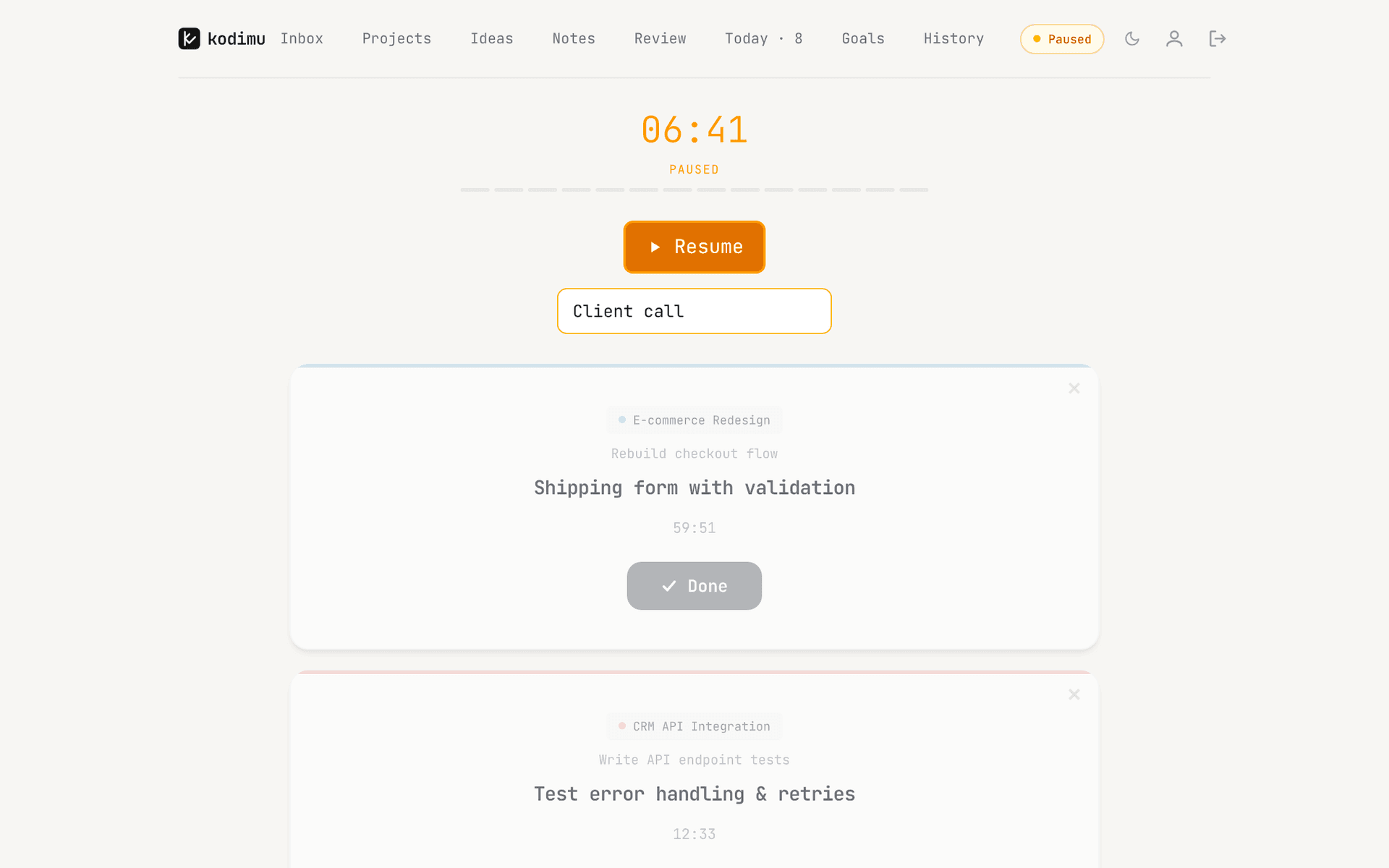
| Real elapsed time per task | Focus stopwatch (count-up) and Pomodoro, linked to a task | Count-up timer by default, optional Pomodoro; time saved on the task |
| Pauses with reasons | Pause and resume; a Focus Note for thoughts during a session, but no reason per pause on the pages we read | Optional reason for each pause; pause time counted separately from focus time |
| Time history | Focus Statistics and Focus Records (daily/weekly/monthly totals; records can be edited) | History of completed tasks by day with focus time, pause time and sessions; monthly stats |
| Who holds the encryption key | TickTick: “stored and encrypted at rest”, no end-to-end encryption | You: key derived from your encryption password in the browser |
| Where data is processed | AWS in the United States; third-party AI providers for AI features | Vercel, United States; content arrives already encrypted |
| Platforms | Cross-platform apps and sync on the free plan | Web app (installable PWA); no native apps, no offline mode |
| Price | Free (9 lists, 99 tasks per list); Premium $49.99/year | Free during beta; pricing may change |
TickTick Focus vs Kodimu Focus
TickTick added a stopwatch to Focus in 2020 “to enable you to easily track the time spent on the task that you were not sure for how long it would take”, and its Focus Statistics show “how much time and effort you’ve devoted into different tasks”. Its help centre describes a Pomodoro countdown (25 minutes of focus, 5 of break) and a count-up stopwatch, a Focus Note button for jotting thoughts mid-session, and a way to correct or add focus records afterwards. If you mostly want to know “how many focused hours did I do this week”, TickTick already answers that.
Kodimu answers slightly different questions:
- Why did I stop? Each pause can carry a short reason — “call”, “waiting for review”, “lunch”. Pause time is stored separately, so a task that took three hours with 50 minutes of interruptions shows both numbers.
- What if two things are running? Kodimu can run several task timers in parallel, each with its own clock. We did not find this described for TickTick.
- What did I finish, and what did it cost? History lists completed tasks day by day with the time each one took, plus focus time, pause time and sessions for the day. The Monthly tab adds time per project and your busiest day.
Neither approach is “real” time tracking while the other is fake; they are shaped around different habits. TickTick’s is focus-session-first, Kodimu’s is task-first. Our guide to TickTick time tracking goes through what the Focus stopwatch records in more detail.
Where TickTick still shines
- Everything in one app. Comparisons of TickTick and Todoist consistently credit TickTick with a Pomodoro timer, a habit tracker, an Eisenhower matrix and a calendar. Kodimu has no calendar and no habits.
- Native apps and sync on the free plan. TickTick’s upgrade page lists cross-platform sync as free. Kodimu runs in the browser only and needs a connection.
- Reminders. Kodimu has no reminders or push notifications, which for many people rules it out as a daily driver on its own.
- Price and maturity. $49.99 a year for Premium is modest, and TickTick has years of development behind it. Kodimu is a single-developer beta, closed source and not independently audited.
- Account security options. TickTick added two-step verification in March 2025.
What TickTick’s security page actually says
“User data, including task details, account information and payment details, are all stored and encrypted at rest.” … “All the databases and servers are hosted by Amazon Web Services (AWS) in the United States.”
“SSL protocol secures all data and information transmitted with Service” and “we utilize third-party AI service providers to process your inputs”.
Neither page mentions end-to-end encryption. Encryption at rest with provider-held keys means TickTick’s systems can decrypt task details to display, sync and process them. The privacy policy does not name a legal entity or address; the App Store lists the seller as Appest Limited, and Apple notes the app’s privacy details have “not been verified by Apple” — a standard label, not an accusation.
Kodimu encrypts task text, project names, notes, ideas and pause reasons in the browser with AES-256-GCM before upload. Metadata — due dates, timestamps, focus timings, priorities, your email — is not encrypted. Details are in the security whitepaper.
Moving from TickTick to Kodimu
There is no importer in Kodimu. You move tasks by pasting text, so start with what is active.
- 1
Choose the lists to move
Work projects and anything sensitive are good candidates. Habits, shopping lists and calendar-heavy lists are better left in TickTick. - 2
Create matching projects
One Kodimu project per TickTick list, with a stage and optional category. Set your encryption password — it is separate from your login and cannot be reset by us. - 3
Paste with Bulk Add
Copy the task titles as plain text and paste them into Bulk Add: one task per line, and a line starting with - becomes a subtask of the task above it.
- 4
Time a real week
Star tasks for Today, work through them in Focus, pause with reasons, and compare Kodimu’s History with your TickTick focus statistics at the end of the week.
What won’t transfer automatically
- Your focus records and statistics — they stay in TickTick, and Kodimu cannot import time.
- Due dates and repeat rules — re-enter them; Kodimu repeats every 1, 2, 3 or 7 days.
- Reminders, tags, habits, calendar events and attachments — Kodimu has no equivalents.
- Shared lists and collaborators.
- Completed tasks. Kodimu has no export yet either, so keep TickTick’s archive if you need it.
FAQ
- Does TickTick have time tracking?
- Yes. TickTick Focus has a count-up stopwatch and a Pomodoro timer linked to tasks, plus Focus Statistics. What we did not find is a reason per pause or several timers running in parallel.
- Is TickTick end-to-end encrypted?
- No. Its security page says data is stored and encrypted at rest on AWS in the United States; end-to-end encryption is not mentioned.
- Can I import from TickTick into Kodimu?
- Not automatically. Paste task titles into Bulk Add, one per line, with “- ” in front of subtasks. Focus records, dates and tags have to stay behind or be redone.
- Does Kodimu have a Pomodoro timer like TickTick?
- Yes, as an option. Focus defaults to a count-up stopwatch; you can switch to Pomodoro (25/5 minutes by default, adjustable). Both record real time per task.
- Does Kodimu have a mobile app?
- No. It is a web app you can install as a PWA, with no offline mode. TickTick’s native apps are the better choice on phones.
Sources
- TickTick — Security — read 2026-10-21
- TickTick — Privacy policy — read 2026-10-21
- TickTick — Upgrade (plans and prices) — read 2026-10-21
- TickTick on the App Store — read 2026-10-21
- TickTick blog — Unlock a brand-new Focus experience (6 May 2020) — read 2026-10-21
- TickTick Help — How to start Focus? — read 2026-10-21
- ClickUp — TickTick review — read 2026-10-21
- ClickUp — TickTick vs Todoist — read 2026-10-21
- AlternativeTo — TickTick adds two-step verification (March 2025) — read 2026-10-21