
Focus Mode is Kodimu's built-in work timer. It presents one task at a time so you can concentrate without distraction — and it tracks the real time spent on each task. You end up knowing that a bug took 10 minutes but a feature took 3 hours.
There are two timer modes, switched on the Today page next to the Focus button: Stopwatch (the default, counts up) and Pomodoro (work and break cycles, 25/5 minutes by default, adjustable in Settings). Both record real time per task.
Starting a Session
From the Today page, click Focus to start. The timer begins counting up, and your first task appears.
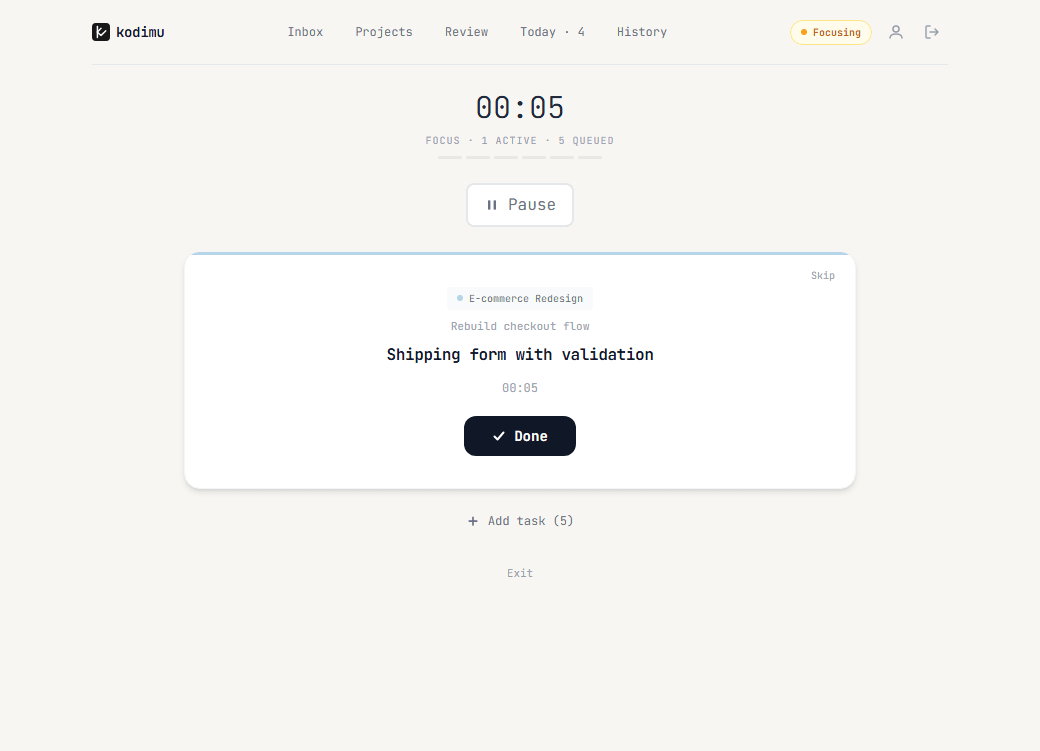
The focus screen shows:
- A large timer at the top
- Status line: how many tasks are active and queued
- A progress bar segmented by task
- The current task with its project name and parent task for context
- Done — mark the task complete and move to the next one
- Skip — skip this task and move to the next
- Pause — pause the timer
- + Add task — pull in more tasks during the session
- Exit — leave focus mode
Pausing
Hit Pause to take a break. You can optionally type a reason (like "coffee" or "meeting").
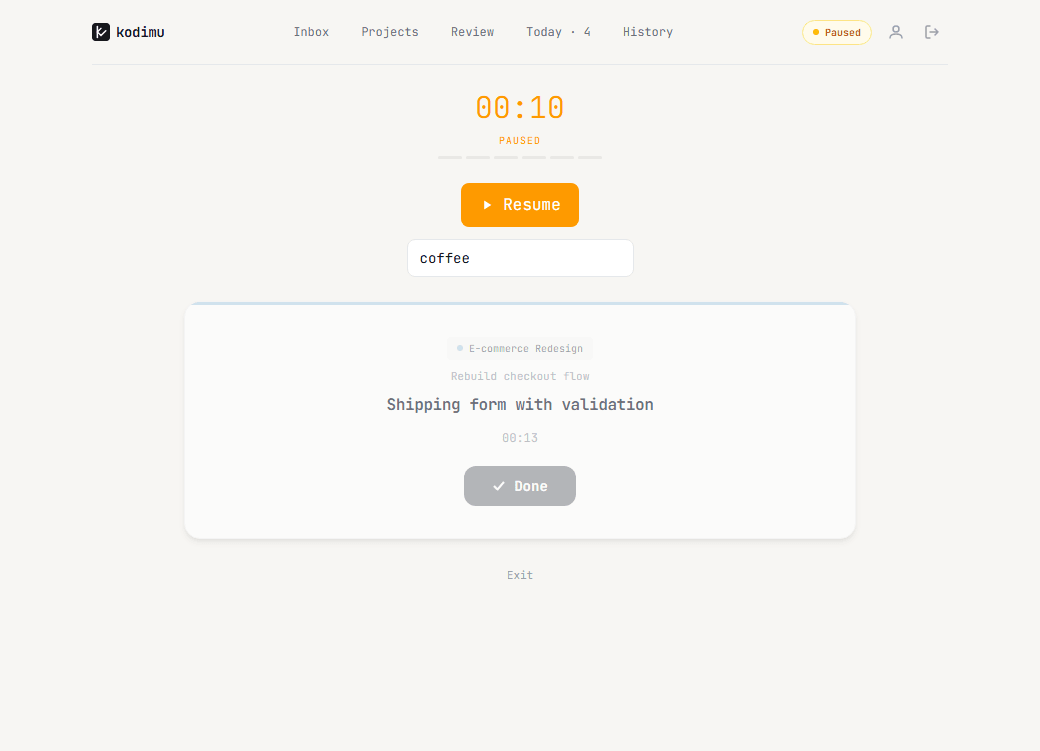
The timer turns orange and shows PAUSED. Click Resume to continue. Pause time is tracked separately from focus time, so your statistics stay honest.
Adding Tasks During Focus
Need to work on something else? Click + Add task to see all available tasks from your Today list.
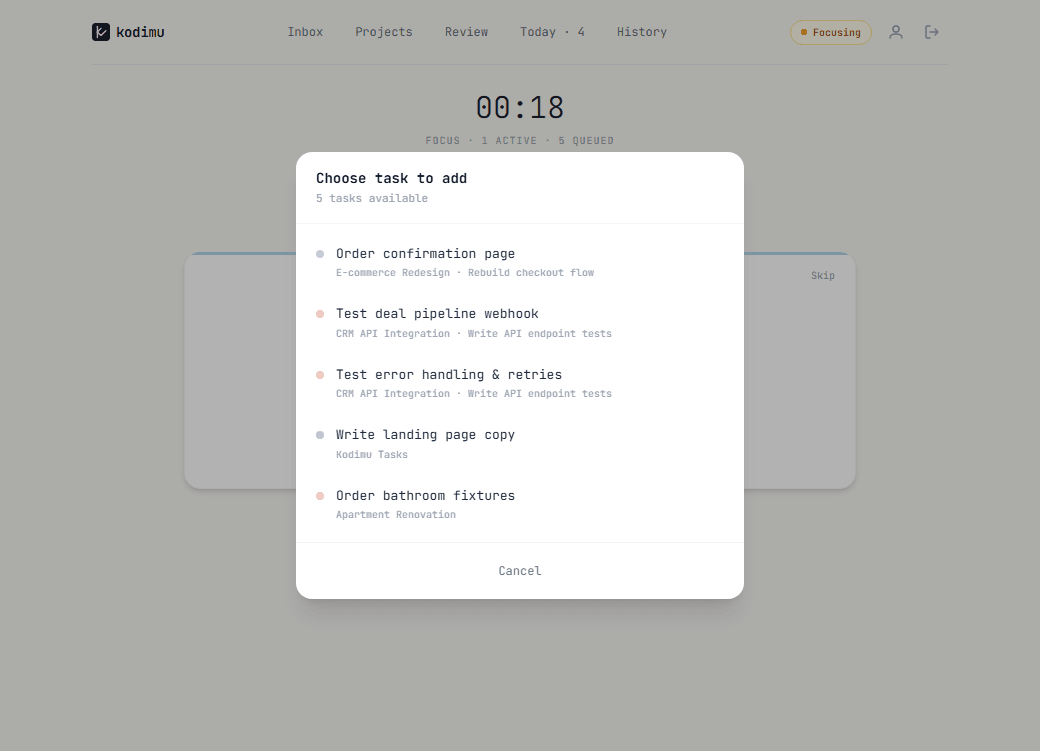
Tasks are listed with their project name and color for easy identification. Pick one to add it to your current session.
Multiple Active Tasks
You can work on multiple tasks in parallel. Each active task gets its own card with an independent timer.
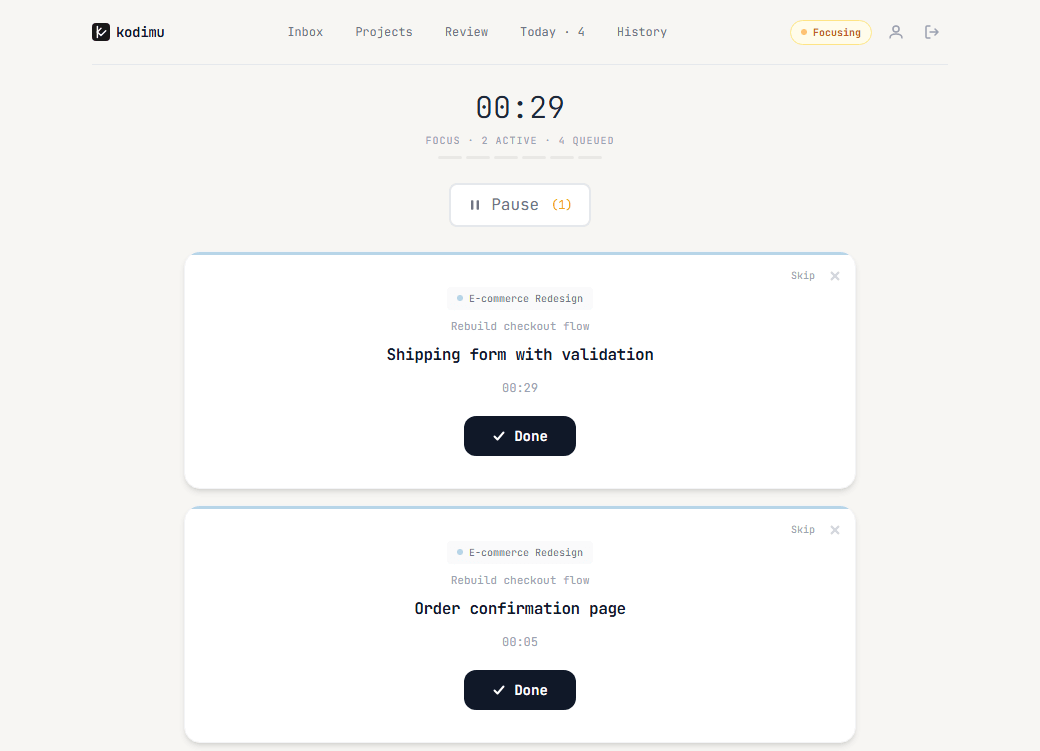
This is useful when you're context-switching between related tasks or waiting on something. All tracked time ends up in the History log.