Projects are the core of Kodimu. Each project represents a goal, client job, or area of your life — like "E-commerce Redesign", "Japan Trip 2026", or "Rust Programming". Tasks live inside projects, and the Review page later pulls them all together on one screen.
Creating a Project
Click + New project on the Projects page to open the creation dialog.
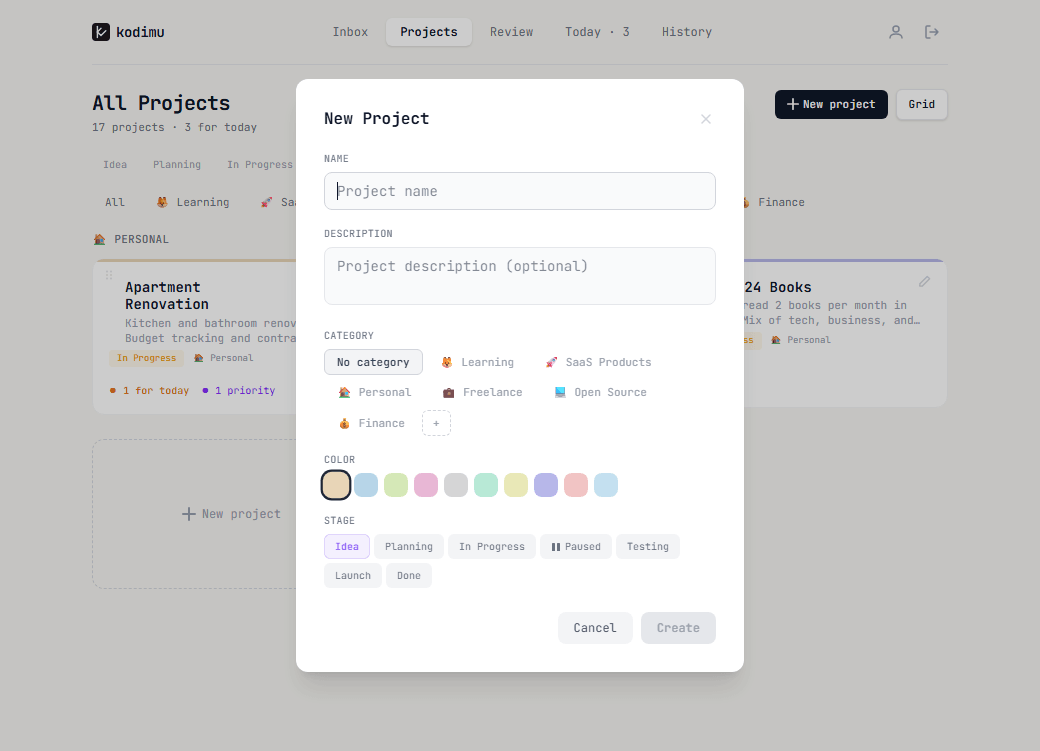
Every project has:
- Name — the project title
- Description — optional context for what the project is about
- Category — group projects by area (Freelance, Personal, Learning, etc.)
- Color — pick a color to visually distinguish the project
- Stage — the current status: Idea, Planning, In Progress, Paused, Testing, Launch, or Done
Categories and stages are fully customizable in Settings.
Project Detail
Open any project to see its tasks. Tasks can have subtasks (nested checkboxes) for breaking work into smaller pieces.
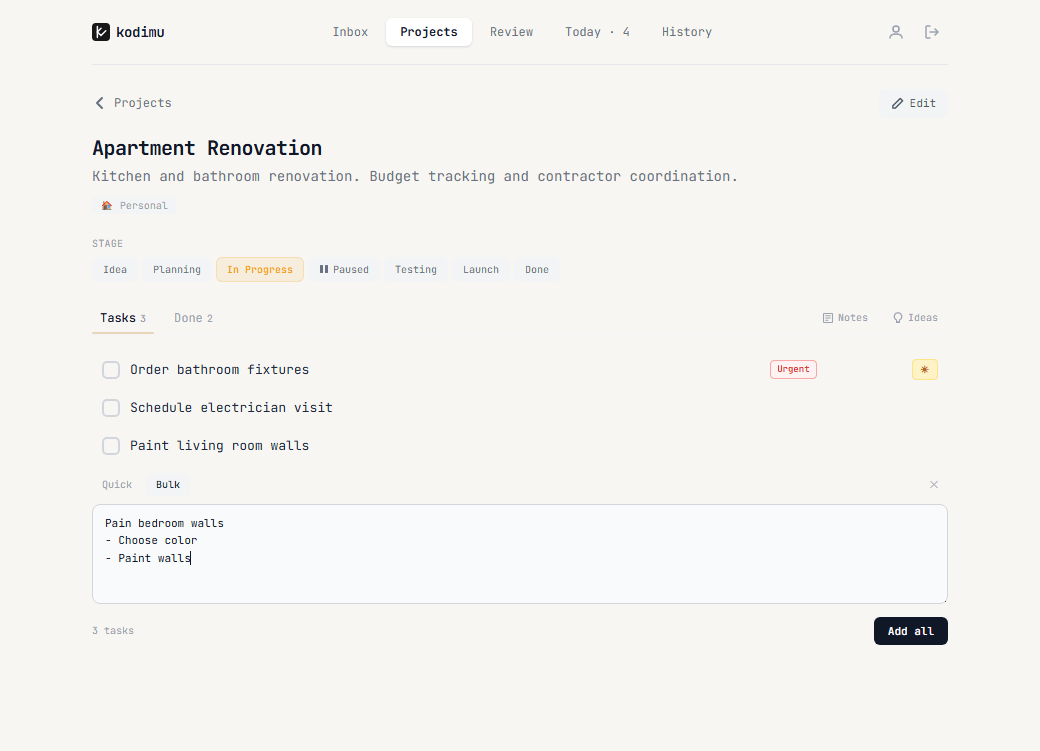
Each project page shows:
- Current stage with all stages visible for quick switching
- Tasks tab with active tasks and a Done tab for completed ones
- Notes and Ideas buttons for project-level documentation
- Task priority badges (Urgent, Important) and a star marker for today's tasks
- An Edit button to change project details
Adding tasks — one at a time or in bulk — is covered in Tasks & Inbox.
Notes & Ideas
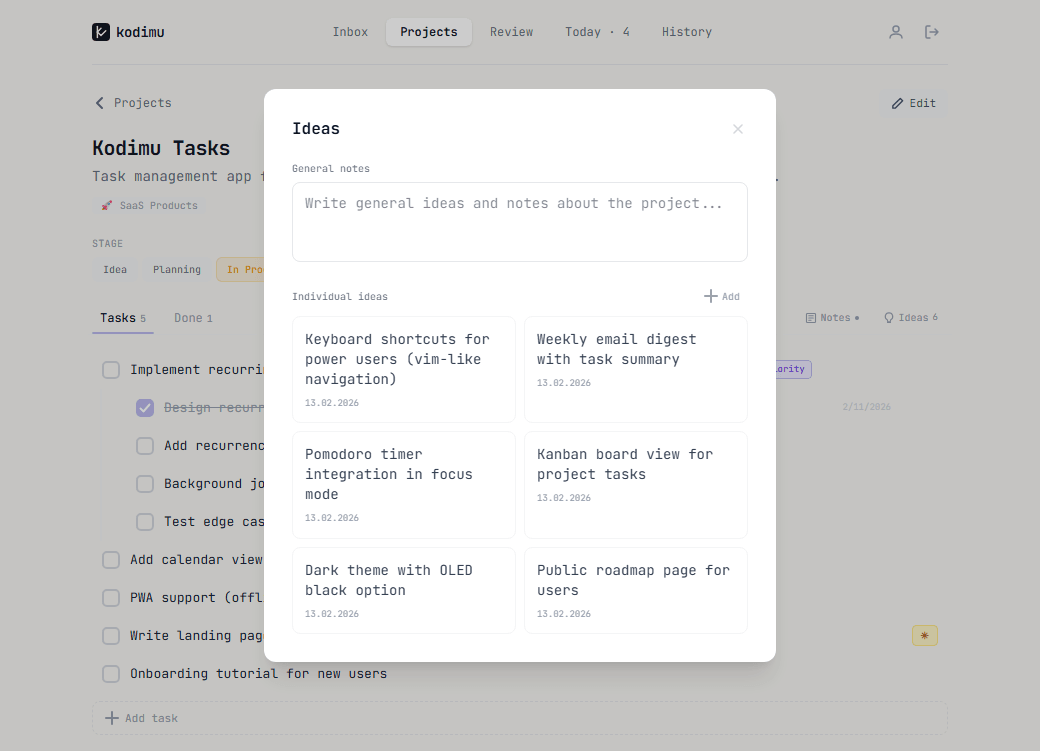
Every project has a built-in notes section and an ideas board — perfect for keeping roadmaps, technical decisions, and brainstorming in one place.
Notes support Markdown and can hold anything: meeting notes, architecture decisions, links, or checklists.
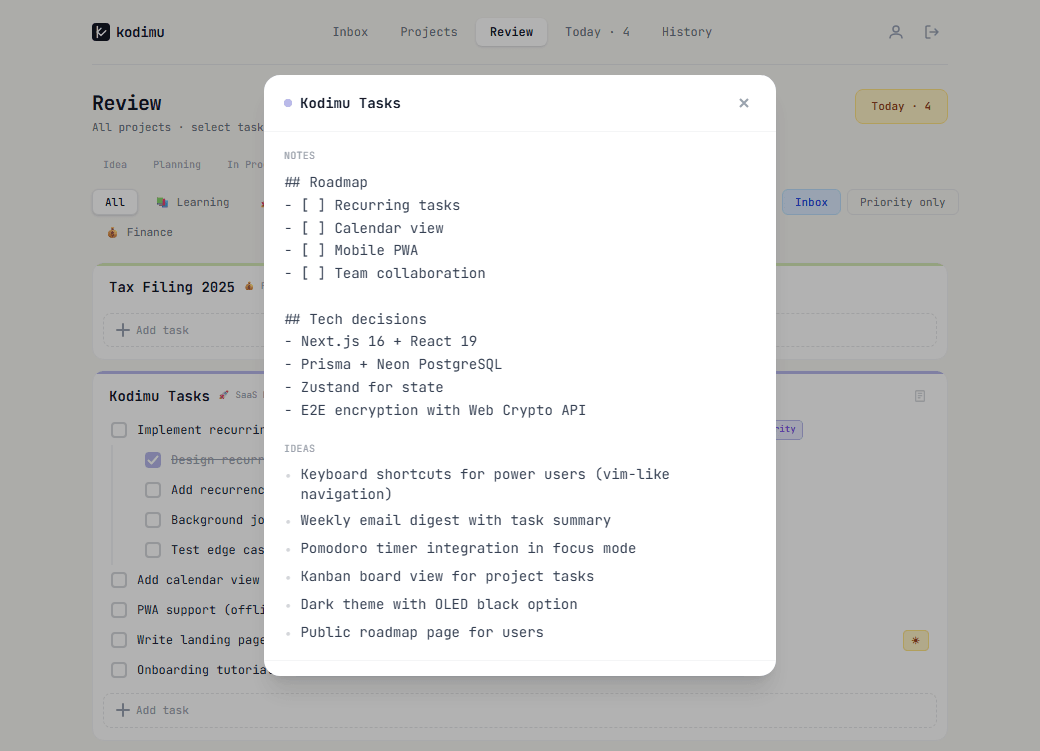
Ideas are individual cards, each with a creation date. Use them to capture feature ideas, improvements, or things to explore later.