
The Today page is your daily dashboard — everything you planned to work on, in one focused view. Tasks get here from the Review page.
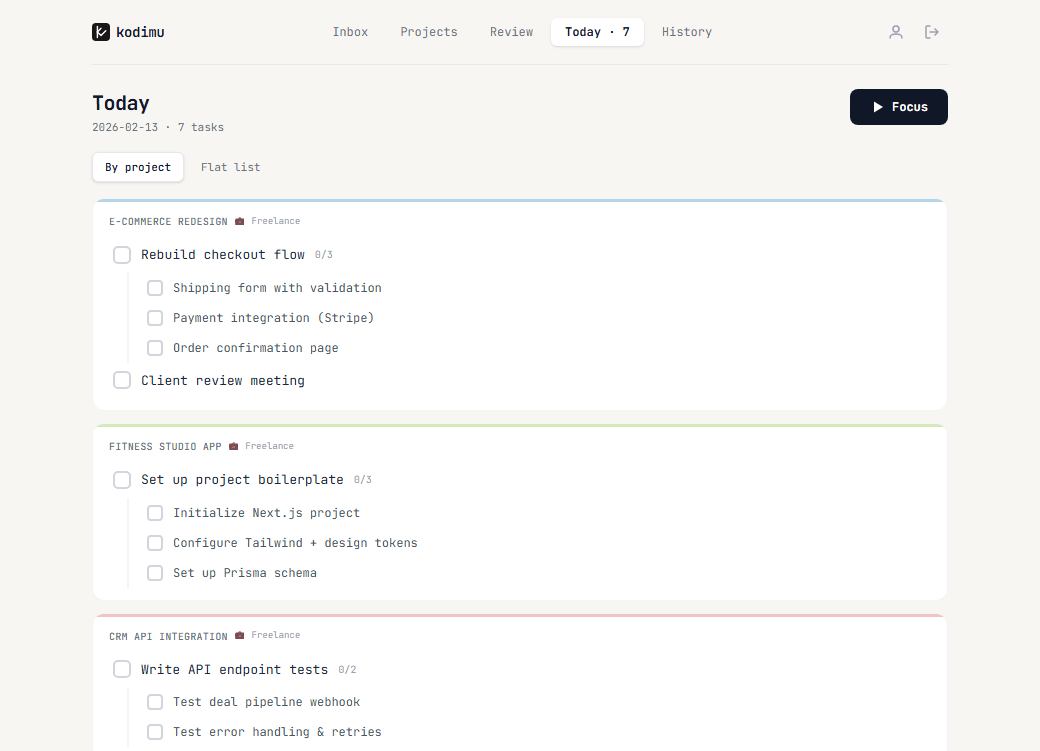
View modes
- By project — tasks grouped under their project names (default)
- Flat list — all tasks in a single list
Each task shows its subtasks inline. Check them off as you go. Hit the Focus button in the top-right corner to start a focus session.
Daily Summary
Scroll down to see completed tasks (struck through) and your daily stats.
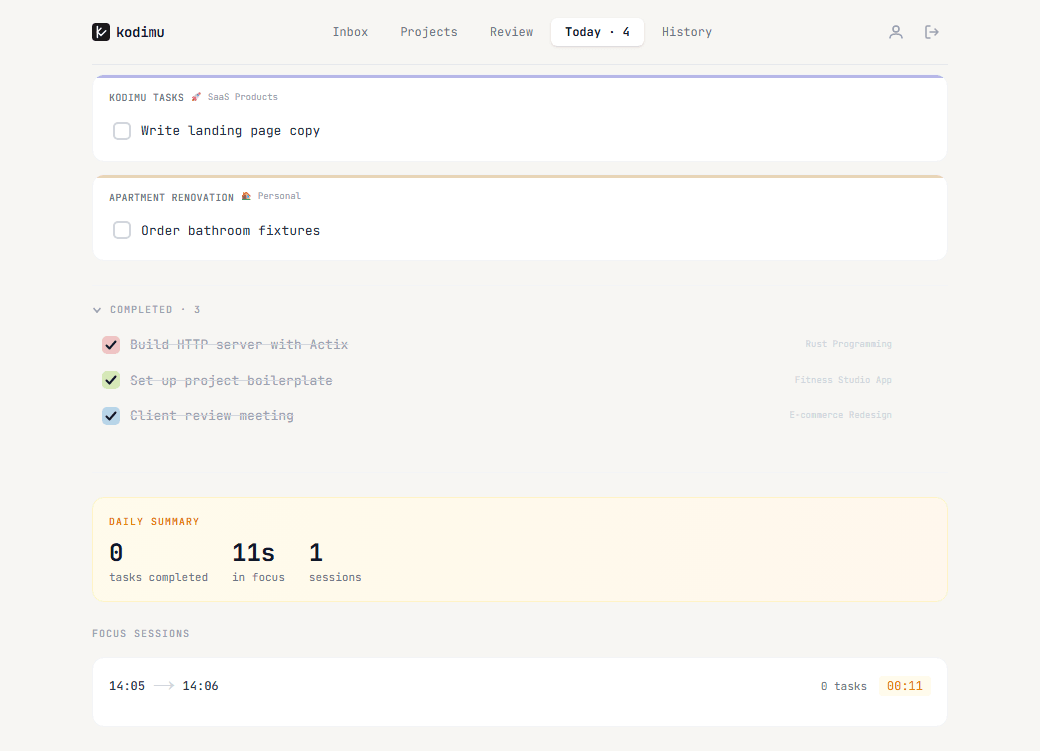
The Daily Summary card shows:
- Tasks completed today
- Total time spent in focus
- Number of focus sessions
Below it, the Focus Sessions section lists each session with start/end times, task count, and duration. "Today" is calculated in the timezone you set in Settings.
History
The History page is your completion log. It shows every task you've finished, grouped by day.
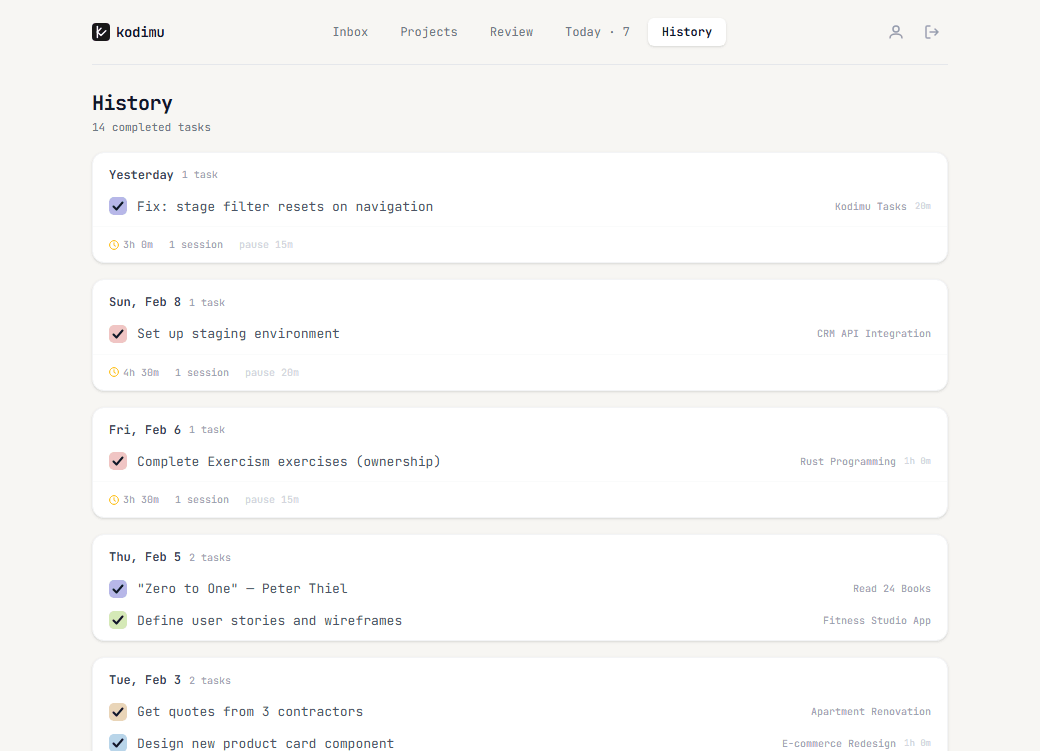
Each entry shows:
- The task name with a colored completion checkmark
- The project it belongs to
- Focus time spent and pause duration
- Number of sessions
Use History to review your productivity patterns, track how long tasks actually take, and see your progress over time.