
Amazing Marvin is one of the few task managers that already does what Kodimu is built around: it promises to “track exactly how long you spend on each task”. So this is not a comparison of “timer vs no timer”. It is a comparison of a toolkit you assemble yourself against a fixed, smaller workflow — and of who can read the data.
Fast verdict
Side-by-side comparison
| Amazing Marvin | Kodimu | |
|---|---|---|
| See all tasks on one screen | If you build it: Custom Screens and Custom Sections combine Smart Lists into views | Review screen, out of the box: every project and the Inbox, with stage and category filters |
| Real elapsed time per task | Time tracking per task; can start automatically in Super Focus Mode; built-in Pomodoro | Count-up timer by default, optional Pomodoro; several timers can run in parallel |
| Pauses with reasons | Not described on the pages we read | Optional reason for each pause; pause time counted separately |
| Time history | Tracked time is kept per task; we did not review Marvin’s reports | History of completed tasks by day with time per task; monthly stats |
| Who holds the encryption key | Amazing GmbH: “All connections use HTTPS encryption”; at-rest encryption not stated | You: key derived from your encryption password in the browser |
| Where data is processed | Google App Engine (accounts) and IBM Cloudant (app data); regions not stated | Vercel, United States; content arrives already encrypted |
| Platforms | Web, Mac, Windows, iOS, Android | Web app (installable PWA); no native apps, no offline mode |
| Price | $8/month or $96/year; 14-day trial; no free plan | Free during beta; pricing may change |
Two task-level timers, two philosophies
Marvin: a box of parts
Marvin is built from optional features that its help centre calls strategies. You switch them on and off on a Features page, start from a problem (“I feel overwhelmed”) and let Marvin suggest some, or activate a ready-made workflow such as GTD or an Eisenhower setup. Time tracking is one of those parts: Super Focus Mode hides everything except the current task, can start the timer automatically, and shows a progress bar against your estimate. There is a built-in Pomodoro with adjustable intervals too.
For people who like to shape their own system — its home page calls it “The Customizable Task Manager for ADHD” — this is the point. The cost is setup time and the occasional feeling of maintaining the tool instead of using it.
Kodimu: one workflow, fixed
Kodimu has no feature switches. The loop is always the same:
- Review every open task from every project on one page, filtered by project stage or category, and tick the ones for today.
- Today shows that short list with a daily summary of tasks done, focus time and sessions.
- Focus runs a count-up stopwatch (Pomodoro optional). Pause with a reason; pause time is kept apart. Run several timers in parallel if you need to.
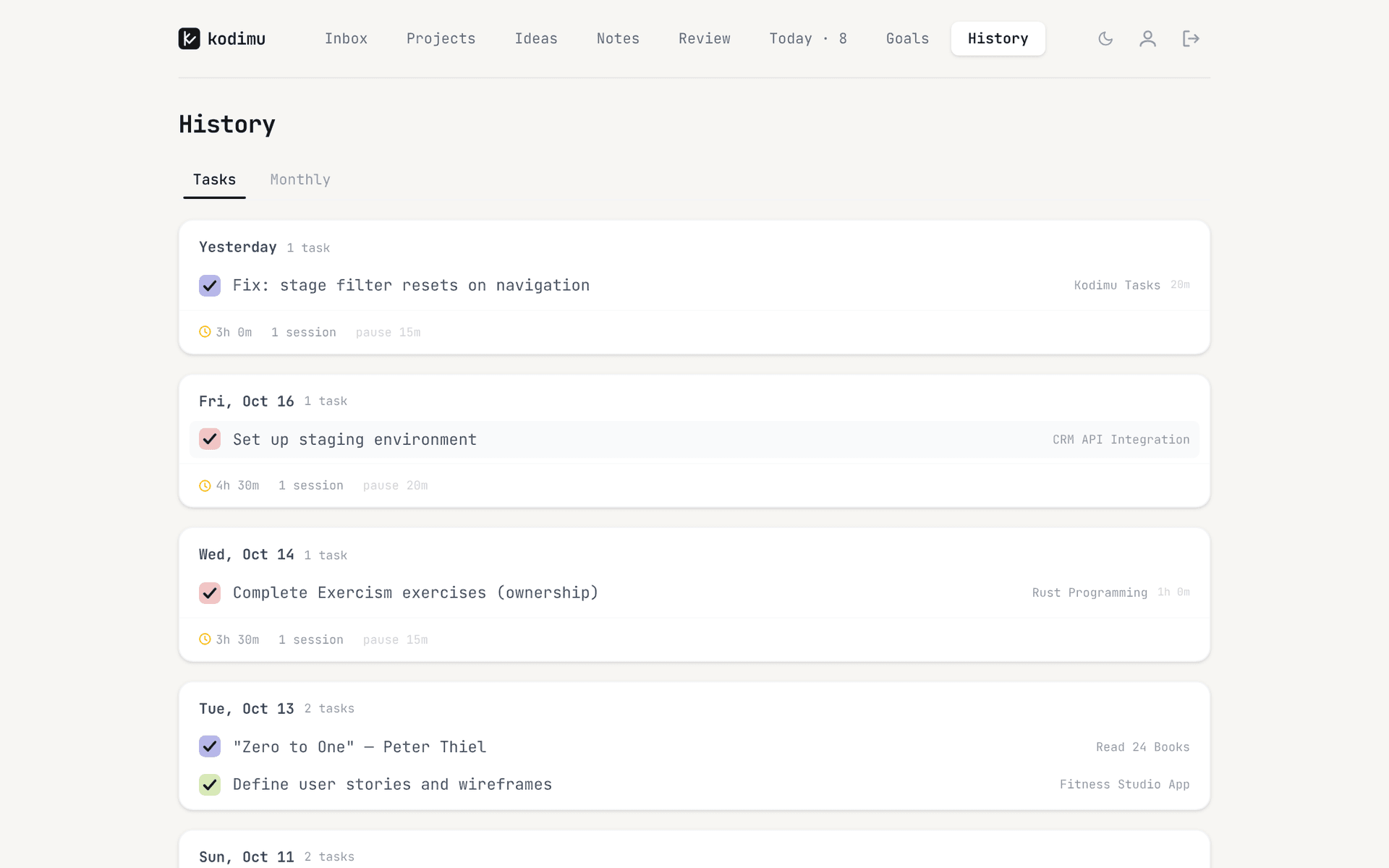
- History logs what you finished each day and the real time it took, with a monthly view by project.
Kodimu has no time estimates, so Marvin’s estimate-based progress bar has no equivalent. If comparing planned and actual time is central for you, see our guide to estimated vs actual time.
Where Amazing Marvin still shines
- Customization. Marvin’s site claims hundreds of settings; its help centre documents Smart Lists, Custom Screens, Custom Sections, a configurable sidebar and importance levels. Kodimu has three priority badges and a fixed layout.
- Estimates and focus tools. Time estimates, an estimate-based progress bar and Super Focus Mode. Kodimu tracks actual time only.
- Native apps. Mac, Windows, iOS and Android as well as web. Kodimu runs only in the browser and needs a connection.
- Methods built in. GTD and Eisenhower workflows you can switch on. Kodimu has projects, stages, an Inbox, a queue and up to four goals, without switchable methods.
- A student discount and a no-card trial. 14 days without a credit card, 50% off for students.
- Track record. Marvin is an established product. Kodimu is a single-developer beta, closed source and not independently audited.
What Marvin’s privacy page actually says
Amazing Marvin has no separate security page; its privacy policy covers storage and encryption:
“All connections use HTTPS encryption.”
Marvin is run by “Amazing GmbH, a Swiss company”. “Account information is stored on Google App Engine Datastore” and “App data is stored on IBM Cloudant DBaaS.”
The policy does not say whether data is encrypted at rest, does not name storage regions and does not mention end-to-end encryption. It also tells users outside the US that “data transfers may involve fewer protections”. None of this suggests misuse; it means Marvin’s systems can read your tasks, as most task managers’ can.
Kodimu encrypts task text, project names, notes, ideas and pause reasons in the browser with AES-256-GCM before upload. Metadata — due dates, timestamps, focus timings, priorities and your email — is not encrypted. Kodimu is hosted in the United States. Details are in the security whitepaper.
Moving from Amazing Marvin to Kodimu
Kodimu has no importer. You move tasks by pasting text, so bring over active work only.
- 1
Pick the projects you work on now
Leave someday lists and archived projects in Marvin until you know Kodimu suits you. - 2
Recreate the structure
Make one Kodimu project per Marvin project, with a stage and optional category. Set your encryption password — it is separate from your login and cannot be recovered by us. - 3
Paste tasks with Bulk Add
Paste task titles into Bulk Add, one task per line. A line starting with - becomes a subtask of the line above.
- 4
Run one week side by side
Do the same kind of work in both, use Focus with pause reasons in Kodimu, and compare Kodimu’s History with Marvin’s tracked times.
What won’t transfer automatically
- Tracked time and estimates — they stay in Marvin; Kodimu cannot import time.
- Your strategies, custom screens, smart lists and sidebar layout — Kodimu has no equivalents.
- Due dates and repeat rules — re-enter them; Kodimu repeats every 1, 2, 3 or 7 days.
- Reminders, and anything tied to integrations you set up in Marvin.
- Completed tasks. Kodimu has no export yet, so keep your Marvin archive if you need it.
FAQ
- Does Amazing Marvin have a free plan?
- No. Marvin costs $8 a month or $96 a year after a 14-day trial with no credit card (checked on 21 Oct 2026). Students get 50% off.
- Is Amazing Marvin end-to-end encrypted?
- No. Its privacy policy says all connections use HTTPS; it does not mention end-to-end encryption or state whether data is encrypted at rest.
- Does Amazing Marvin track time per task?
- Yes. Its site says you can “track exactly how long you spend on each task”, and Super Focus Mode can start the timer automatically.
- Can I import from Amazing Marvin into Kodimu?
- Not automatically. Paste task titles into Bulk Add, one per line, with “- ” for subtasks. Time data and customizations stay in Marvin.
- Does Kodimu have mobile apps?
- No. Kodimu is a web app you can install as a PWA, and it needs a connection. Marvin’s native apps are better on phones.
Sources
- Amazing Marvin — Home — read 2026-10-21
- Amazing Marvin — Pricing — read 2026-10-21
- Amazing Marvin — Focus features — read 2026-10-21
- Amazing Marvin — Privacy — read 2026-10-21
- Amazing Marvin Help — Find a workflow that fits you — read 2026-10-21
- Amazing Marvin Help — Custom Screens feature — read 2026-10-21
- Amazing Marvin Help — Custom Sections — read 2026-10-21
- Toolradar — Amazing Marvin alternatives — read 2026-10-21