
You plan your day in Todoist and at the end of it you want to know where the hours went. Todoist itself will not tell you: it has no timer. Search for “Todoist time tracking” and every result is a time-tracking company selling an integration. Here are all three options, including the one those pages leave out.
1. Add a time-tracker integration
This is the answer every page currently ranking for the query gives, and for good reason: if you already pay for a time tracker, it is the shortest path.
- Toggl Track. Listed in Todoist’s integrations directory; its browser extension lets you “start and stop a timer from inside Todoist in Chrome, Firefox, or Edge”. Toggl has a free plan.
- Clockify. Publishes its own Todoist time-tracking integration and has a free plan; the time lands in Clockify’s reports.
- Everhour. Browser-extension timers inside Todoist plus estimate-vs-actual reports. Paid, with a 14-day trial.
- Timing (Mac only) records activity automatically in the background instead of asking you to start a timer.
Todoist’s directory also lists Traqq, Time Doctor and Timeneye. The common catch: you now run two apps. Timers usually work only where the extension is installed, task names are copied into a second service, and your time history lives in the tracker, not next to your tasks.
2. Use Todoist’s “Task duration” field
Todoist’s pricing page lists “Task duration” as a Pro feature. It lets you say a task will take, for example, 45 minutes, which helps when planning your day or viewing tasks on a calendar.
It is a duration, not a timer. Todoist does not count how long you actually worked, does not record pauses and does not keep a history of time spent. If the task took two hours instead of 45 minutes, nothing in Todoist knows. It is useful for planning; it is not time tracking.
3. Use a task manager with a timer built in
The option no integration vendor mentions: some task managers measure time themselves, so the timer sits on the task and the history stays with your tasks.
Kodimu
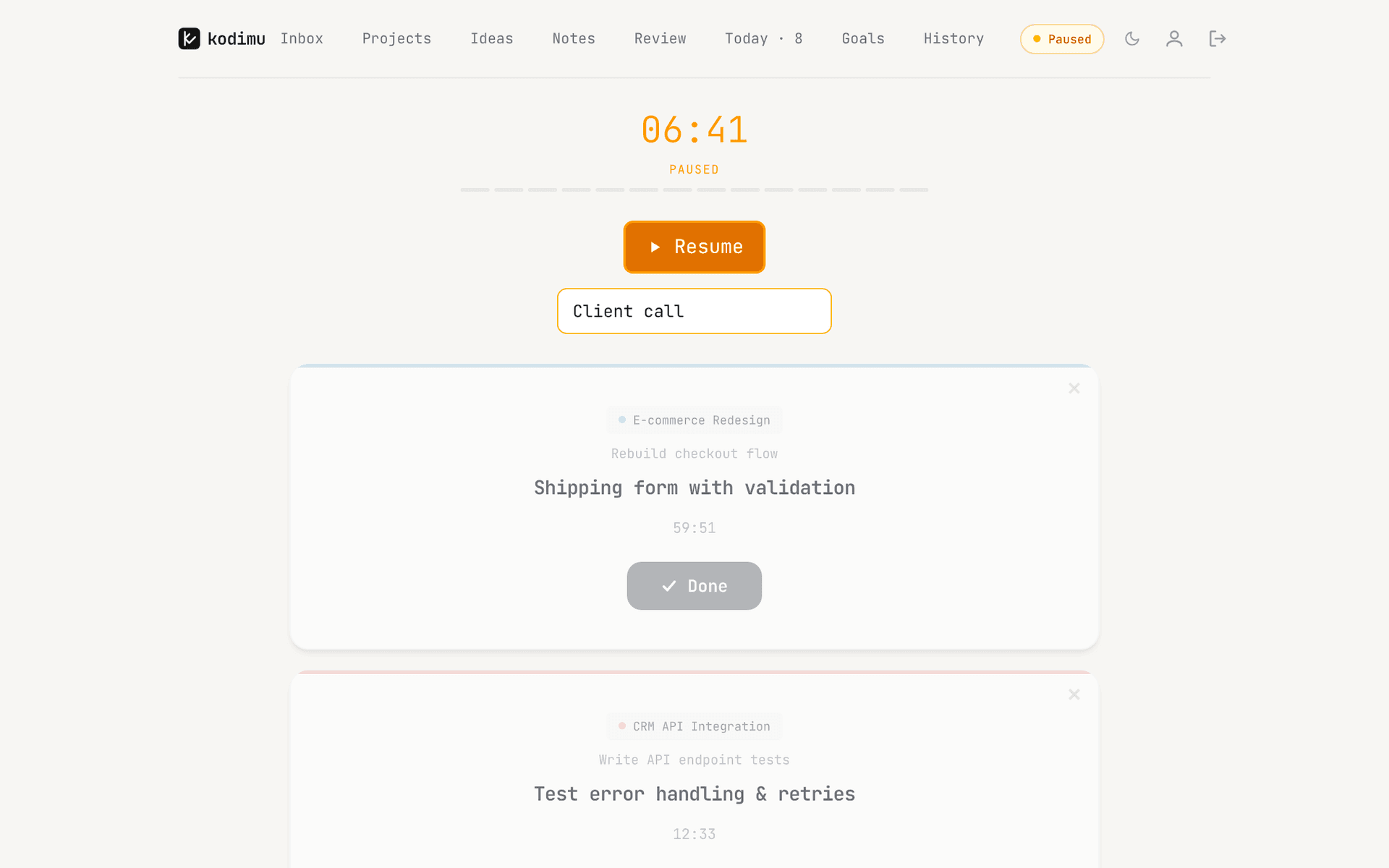
Our app. Start Focus on a task and a count-up stopwatch records real time (an optional Pomodoro mode exists if you prefer cycles). Pauses are counted separately and can carry a reason, several tasks can run in parallel with their own timers, and History shows time per completed task, per day and per month. Task text is end-to-end encrypted in the browser (how it works). The trade-offs: web only, no mobile apps, no calendar, no integrations, no time estimates, no CSV export of time, and no import from Todoist — you move tasks by pasting them into Bulk add.
TickTick
TickTick’s Focus feature has both Pomodoro and a stopwatch, and its focus statistics show how much time went into different tasks. If you want Todoist-style apps on every platform plus a built-in timer, this is the closest swap. See TickTick time tracking.
Super Productivity
Free and open source, with per-task time tracking, timesheets, work summaries and Pomodoro or Flowtime modes. It is local-first, works offline, and runs on desktop and mobile. For many people this is the best free answer.
Amazing Marvin
Promises to “track exactly how long you spend on each task”, with a Super Focus Mode that can start tracking automatically. $8 a month or $96 a year, no free plan, 14-day trial (checked on 21 Oct 2026).
The three ways compared
| Method | What you get | What you don’t get |
|---|---|---|
| Integration (Toggl, Clockify, Everhour) | A real timer next to Todoist tasks; detailed reports, billing and team features | One app: time lives in a second service; task names are copied there; neither app is end-to-end encrypted |
| Todoist “Task duration” (Pro) | A planned length for each task, useful for scheduling | Any measurement: no timer, no pauses, no history of actual time |
| Kodimu | Real time per task, pauses with reasons, parallel timers, daily and monthly history, end-to-end encryption | Mobile apps, calendar, integrations, time export, import from Todoist |
| TickTick | Focus stopwatch and Pomodoro with statistics, native apps everywhere | Pause reasons, parallel timers; not end-to-end encrypted |
| Super Productivity | Free, open source, time tracking and timesheets, offline | A hosted web service; encrypted sync is optional and set up by you |
When to stay with Todoist
If your team shares Todoist projects, you rely on natural-language dates, calendar sync or its integrations, or you need billable-hours reports, keep Todoist and add Toggl or Clockify. A dedicated tracker will always have richer reports and invoicing than a task manager’s timer.
FAQ
- Does Todoist have a built-in timer?
- No. Todoist has no timer or time tracking. Its Pro plan has a “Task duration” field for planning how long a task should take, which does not measure actual time.
- Do I need a plugin to track time in Todoist?
- Yes, if you want to stay in Todoist. Toggl Track, Clockify, Everhour and others add a timer through a browser extension or integration. Otherwise you need a task manager with its own timer.
- What is the best free time tracker for Todoist?
- Toggl Track and Clockify both have free plans and Todoist integrations. If you are open to switching task managers, Super Productivity is free and has time tracking built in.
- Is Todoist task duration the same as time tracking?
- No. Task duration is an estimate you enter. Time tracking records how long you actually worked, including pauses.
- Can I import my Todoist tasks into Kodimu?
- Not automatically. Kodimu has no importer yet; you can paste tasks into Bulk add, one per line, with a leading “-” for subtasks.
Sources
- Todoist — Pricing (Task duration on Pro) — read 2026-10-21
- Todoist integrations — Toggl Track — read 2026-10-21
- Todoist integrations — Traqq — read 2026-10-21
- Clockify — Todoist time tracking — read 2026-10-21
- Everhour — Todoist time tracking — read 2026-10-21
- Timing — Todoist time tracking — read 2026-10-21
- Super Productivity — Todoist vs Super Productivity — read 2026-10-21
- Super Productivity — GitHub repository — read 2026-10-21
- TickTick blog — Brand-new Focus experience — read 2026-10-21
- Amazing Marvin — Pricing — read 2026-10-21
- Amazing Marvin — Focus features — read 2026-10-21